
How We Linked Pick-to-Light Equipment to the WMS for a Mexican Integrator
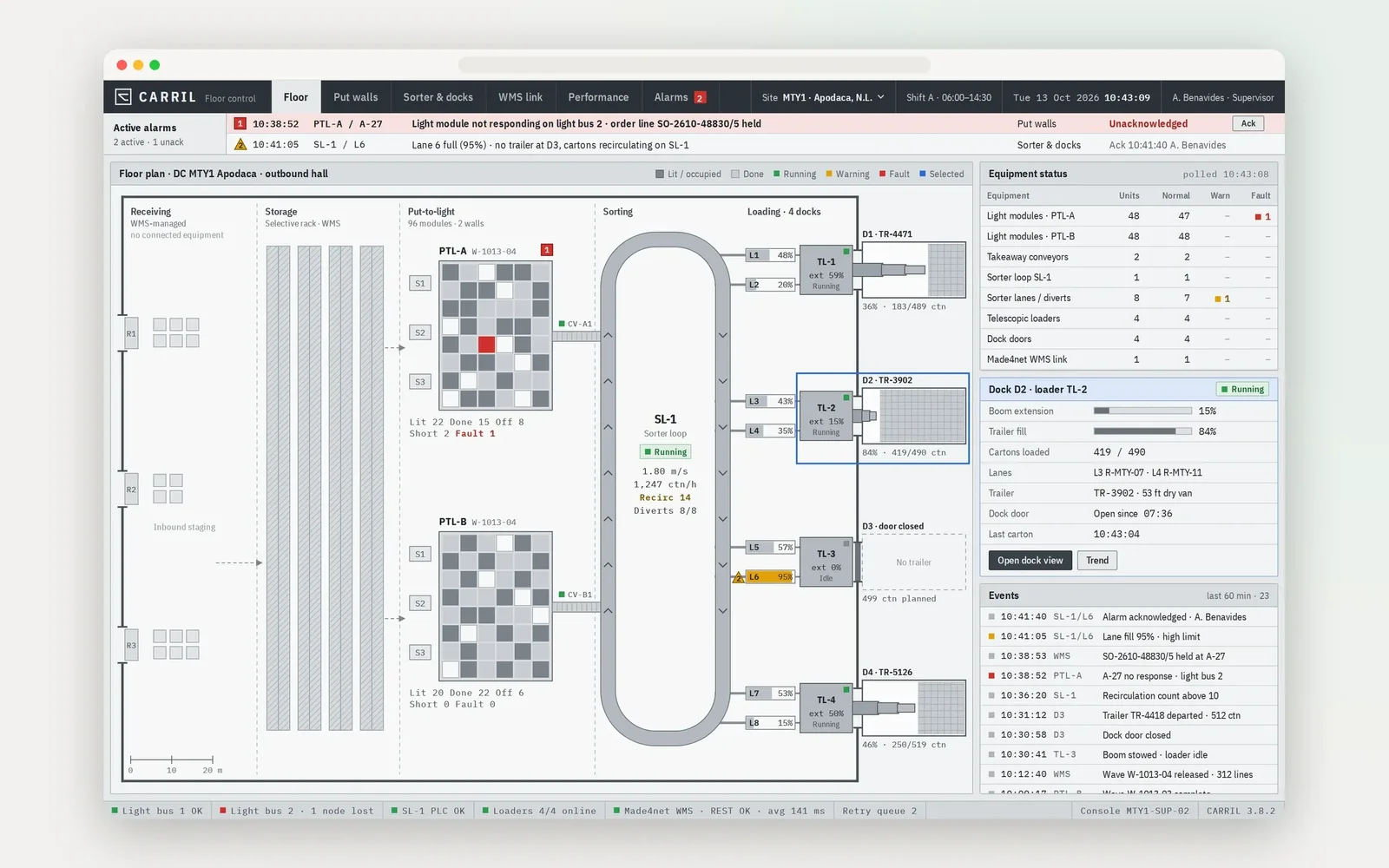
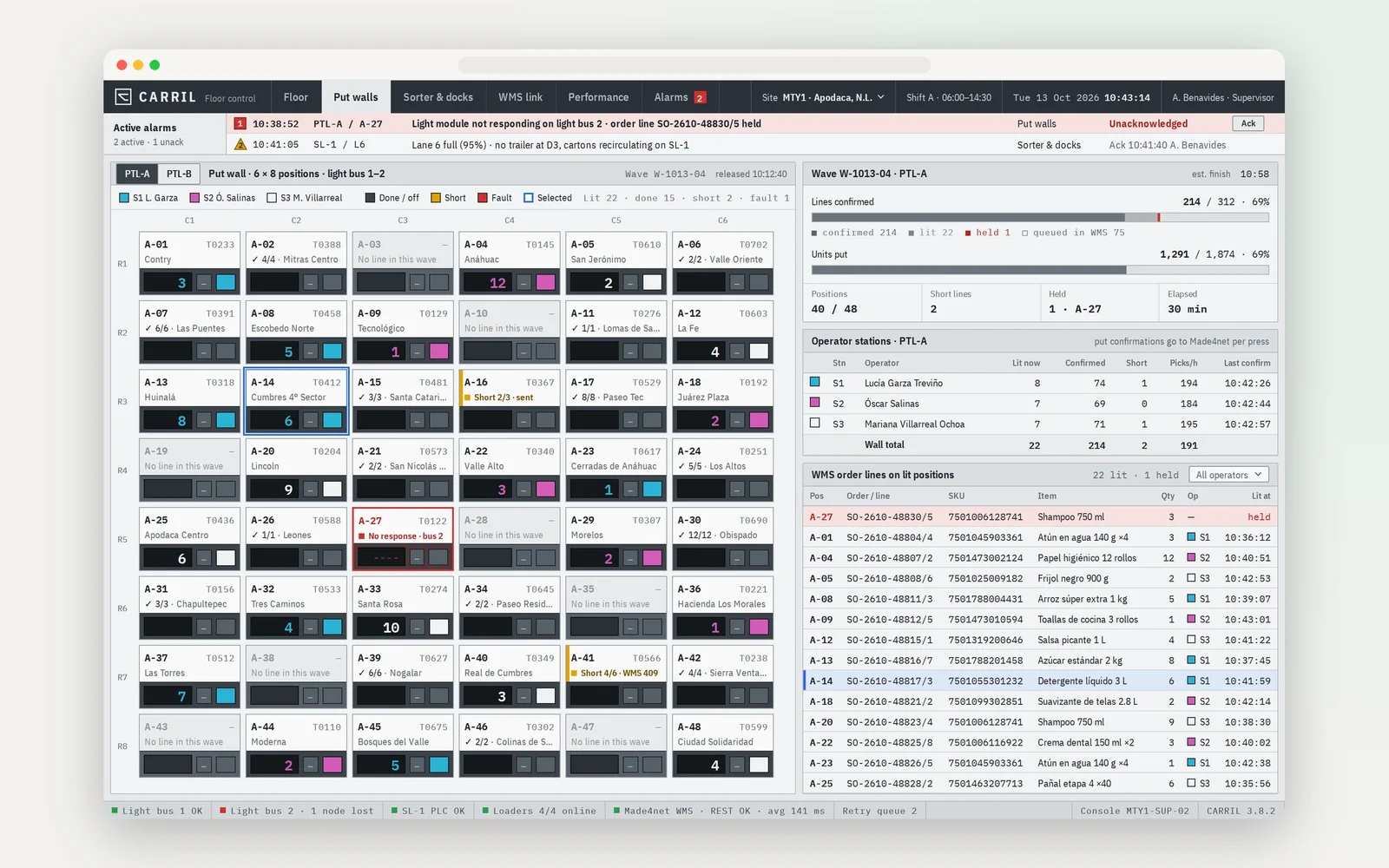
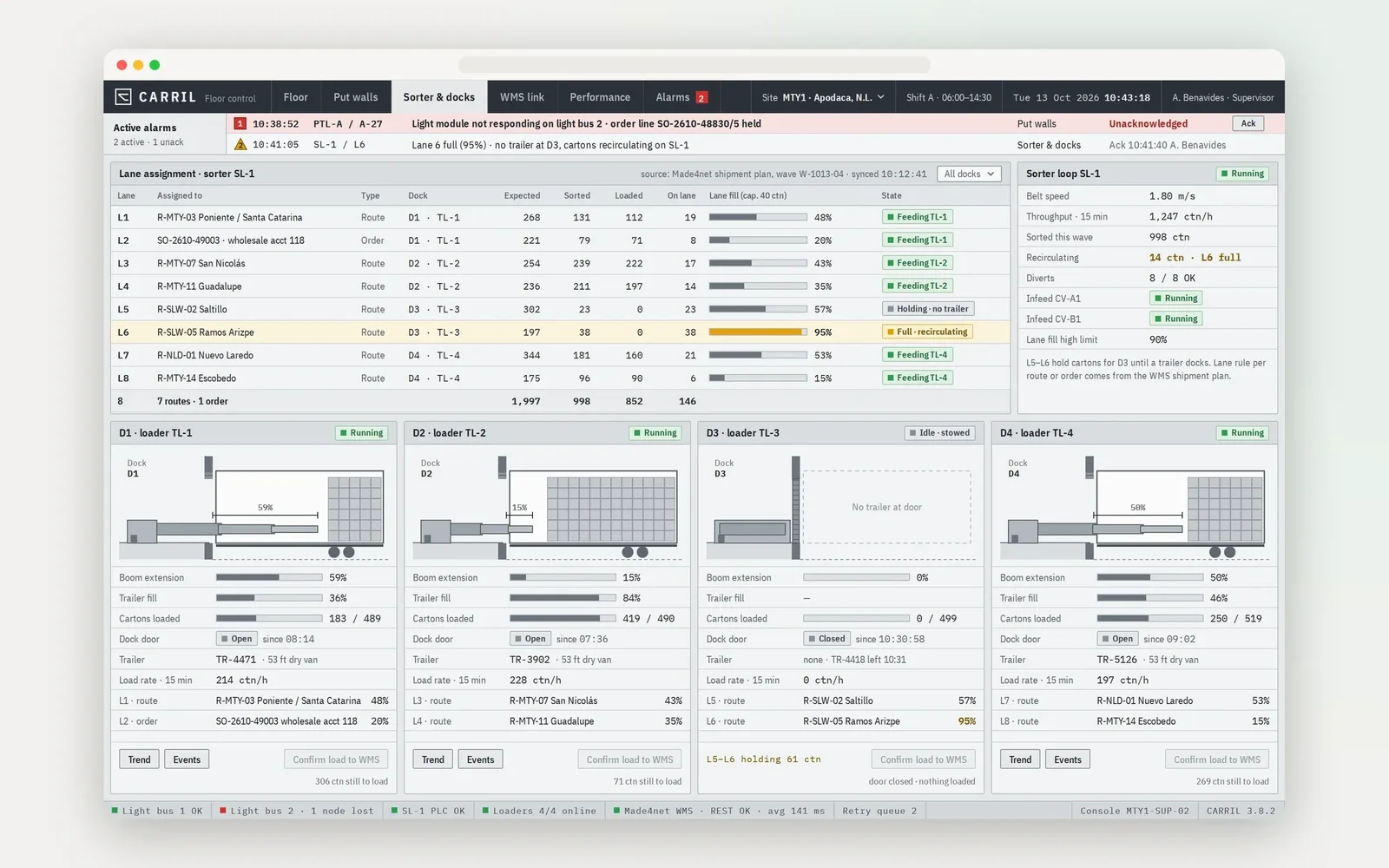
The light wall, the sorter and the telescopic loaders reach the site on schedule. Each comes from a different vendor, and each client runs its own WMS. So the integrator's team rebuilds the software link at every rollout, and go-live waits for it. In the client's words, an integrator has to know the technology it buys. Hygge built one integration layer for a warehouse equipment integrator in Mexico. The integrator keeps it and brings it to every site. It takes order lines from the Made4net WMS, drives the lights, lanes and loaders, and reports every pick and load back.
Is Your Next Rollout Waiting on Someone Else's Software?
Bring the equipment list and the WMS of your next site to a 30-minute call with a Hygge architect. You leave with how one layer would connect them and what the rollout would take.
Where Equipment Rollouts Get Stuck
Warehouse equipment integration starts over at each site: the same equipment, a different WMS.
Every Rollout Stalls on Software
The hardware arrives on schedule, and go-live waits for an integration that starts from zero at each site.
Equipment and WMS From Different Vendors
The light wall, the sorter, the loaders and the WMS each speak their own protocol. Out of the box, they share no orders and no status.
Lights Without Live Orders
A pick-to-light wall shows the right quantity only when it receives the order lines the WMS releases.
Loading Docks Off the Record
Loaders and sorters move goods before the stock records know about it.
Know-How Owned by the Vendor
In the client's words, an integrator has to know the technology it buys and install it at client sites. Today that knowledge sits with the vendors.
The Challenge
The integrator sells pick-to-light systems, telescopic loaders and sorting conveyors to distribution centres. Each client keeps its own WMS. So every rollout depends on software that ties the equipment to the stock records. Without that link, the lights wait for orders and the loading docks run ahead of the records. The integrator also depends on vendors to understand its own product line.
Every rollout needs software that ties vendor equipment to a WMS the integrator does not control.
Our Solution
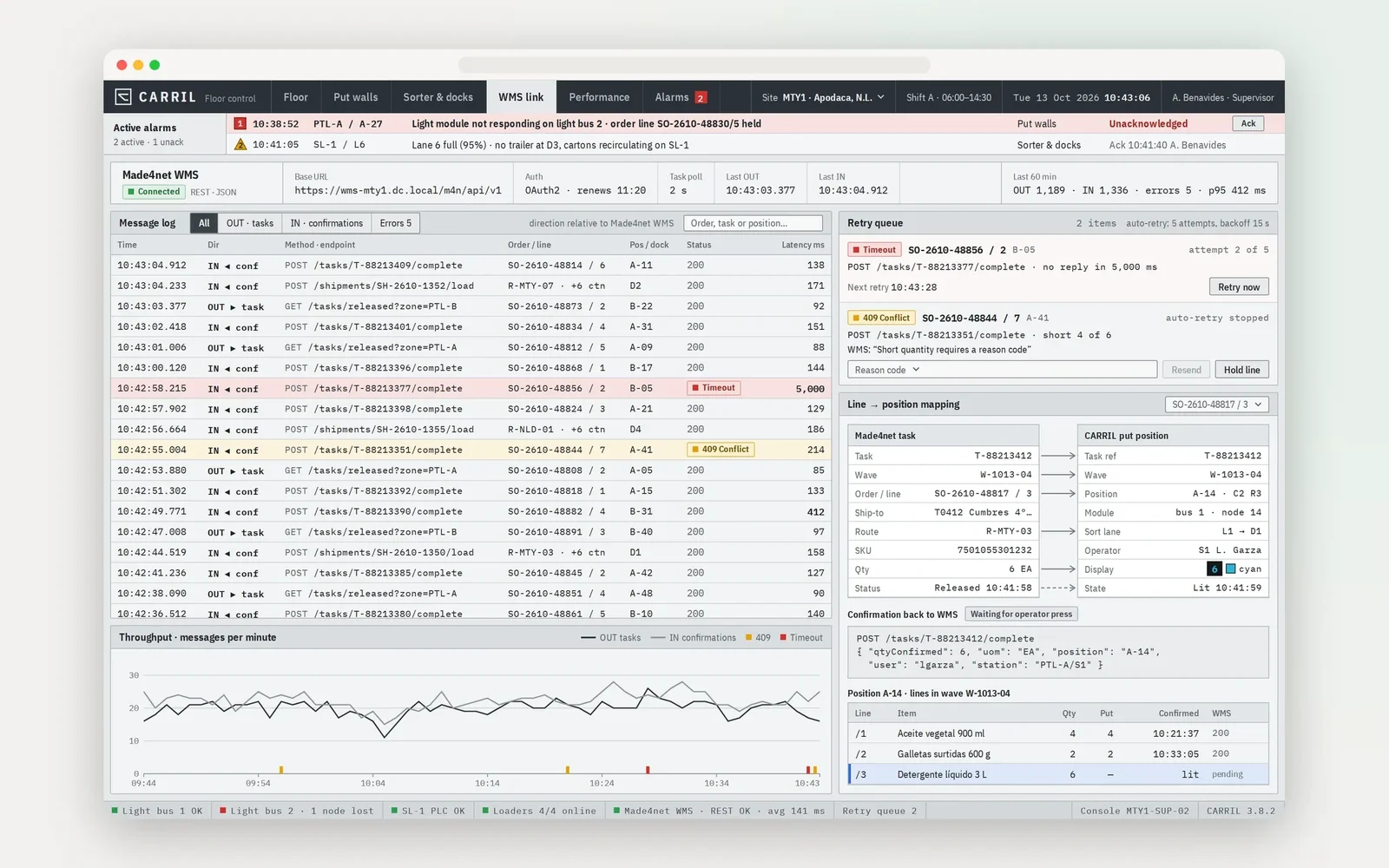
Hygge built the link between the control software and the pick-to-light modules. Each module shows the quantity for the order line the WMS releases, and every put or pick is confirmed back. The layer ties telescopic loaders and sorting conveyors in the loading zones to the warehouse logic. A logistics layer docks onto the commercial Made4net WMS through its REST API. The next client site gets the same layer with its own settings, so each rollout starts from working software.
One integration layer the integrator owns and brings to every site.
How Pick to Light System Integration Solves It
Each part answers one of the reasons above.
Lights Driven by Live Orders
Order lines from the WMS light up the right positions with quantities. Each confirmation goes back as a completed pick.
Lanes Assigned by Warehouse Logic
The conveyor WMS integration routes each carton on the sorter to the lane set for its order. Lane fill is visible before a lane overflows.
Loaders Tied to the Shipment
Loading progress at each dock follows the shipment the WMS released for that trailer.
One Layer on Made4net
A logistics layer on the commercial WMS carries tasks out and confirmations back through its REST API.
Faults on Screen Before They Stop a Wave
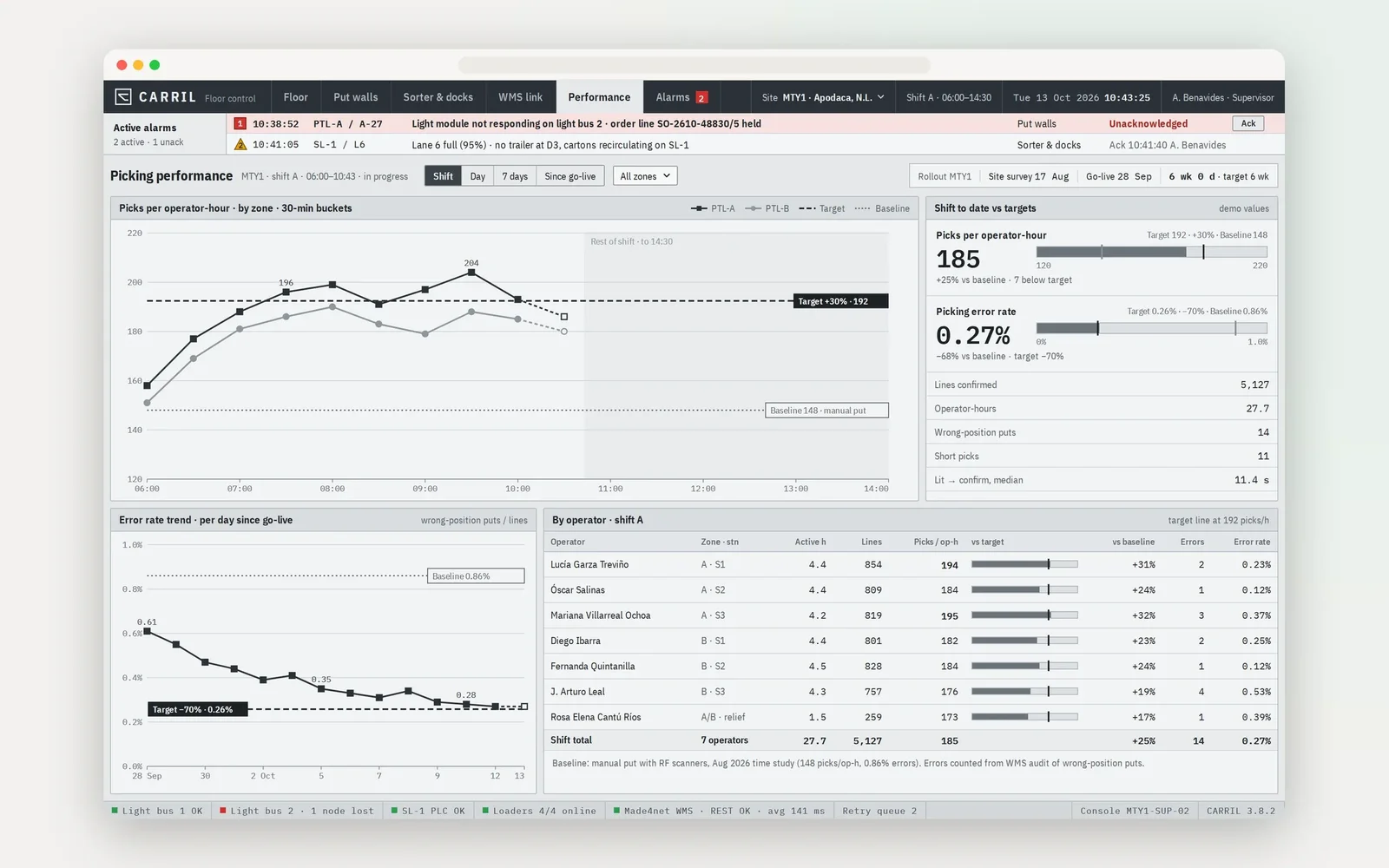
Lights, conveyors and loaders report their state. The floor lead sees a dead module before pickers hit it.
Reusable at the Next Site
Each new site gets the same layer with its own settings. The know-how stays with the integrator.
What Runs Without Anyone Pressing a Button
The steps the layer runs on every wave.
Order Lines to the Lights
When the WMS releases a wave, the layer sends each line to its light position.
Confirmations Back to the WMS
Each confirmed pick updates the order in the WMS, with no re-keying.
Cartons Routed to Lanes
The sorter routes each closed carton to its outbound lane.
Shipment Closed at the Dock
When the telescopic loader finishes a trailer, the shipment closes in the WMS.
What the Integration Gives the Integrator
What the layer gives the integrator and the floor, each tied to one of the reasons above.
Equipment Types on One WMS
Confirmed Back to the WMS
Equipment Faults on Screen
For Lights, Loaders and Conveyors
The Services Behind the Integration
 Node.js
 TypeScript
 MQTT
MQTT Modbus
 OPC UA
 React
React PostgreSQL
 Docker
How a Rollout Runs
Site Survey
Pick-to-Light Integration
Loading Zone Equipment
WMS Layer and Go-Live
Industries We Serve
Industries where warehouse equipment and stock records have to move in step on every wave.

Logistics & Warehouse Automation
Operator interfaces for autonomous fleets, industrial integration and systems rebuilt without taking a working site offline.
Retail & E-Commerce
Recommendation engines, retail media platforms and the billing accuracy that decides whether store partners stay.
Solutions Behind the Integration Layer
The Hygge solutions this build draws on.
Warehouse Management System Development
Pick-to-light walls, sorters and loaders work from the WMS order lines.
Remote Monitoring Platform
Lights, conveyors and loaders report their state, so a dead module shows on screen.
API & Payment Integration
One integration layer connects the equipment to the Made4net WMS through its REST API.
More Products Hygge Has Shipped
Other systems Hygge built around the way a team already works.
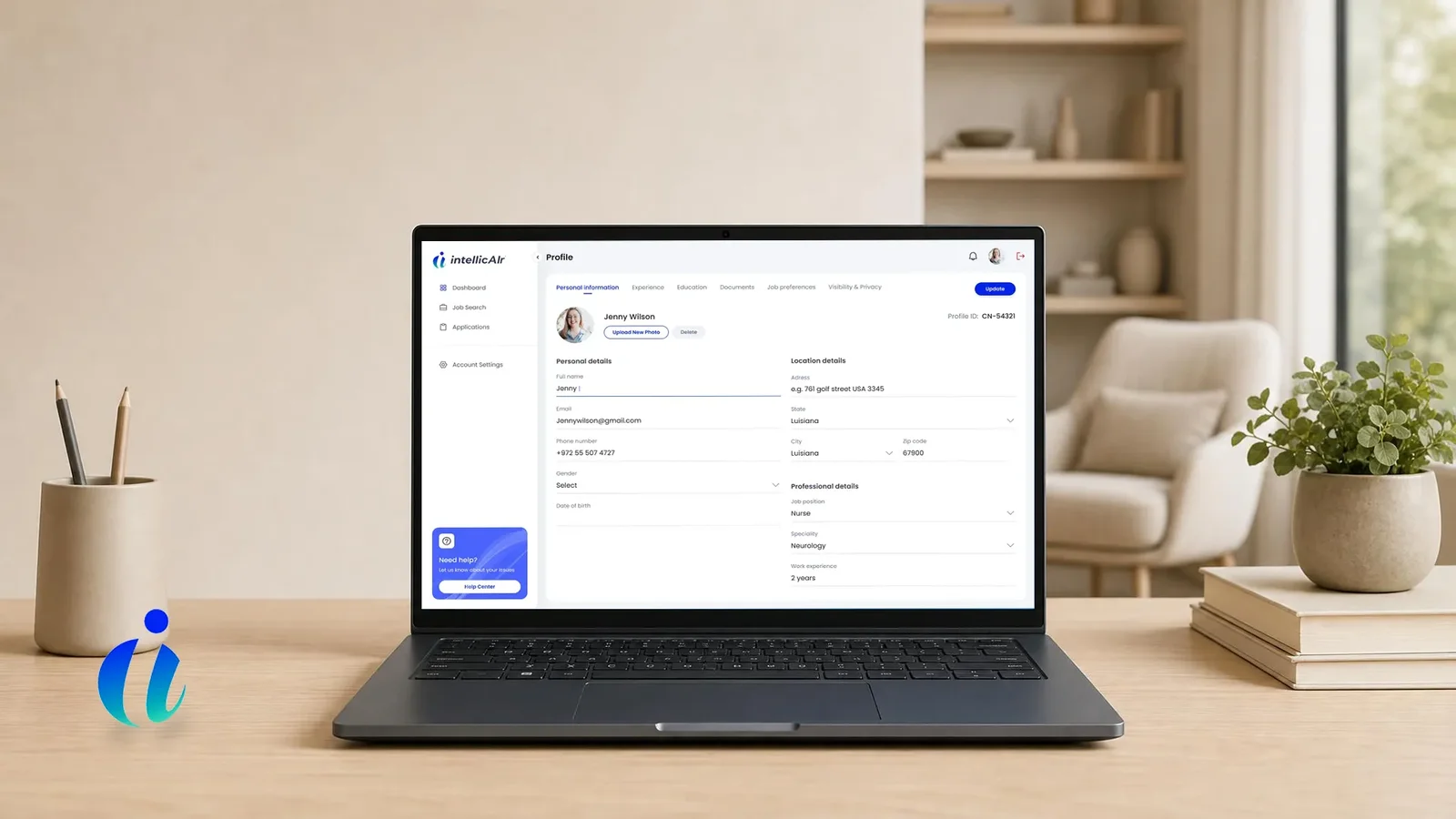
IntellicAIr
A nurse staffing marketplace built around a sealed bidding engine written from scratch. Bids stay hidden until the round closes.
- 1 roundFor a post that waits 78 days to fill
- No nameOn a bid that used to hide a 40 % cut
- 1 inviteBrings a facility's own agencies onboard
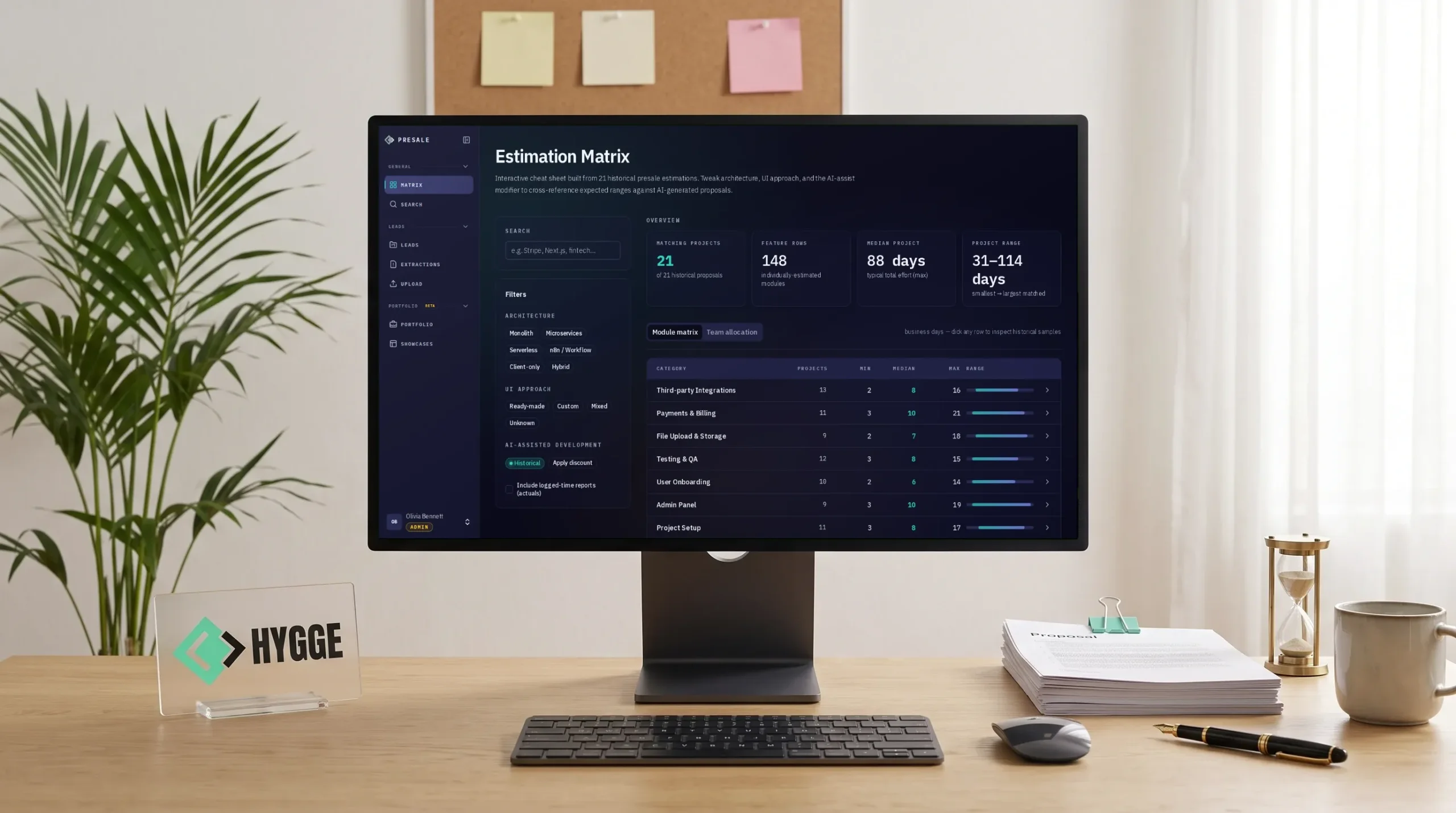
Hygge Presale
Hygge's own presale workspace, where an AI agent drafts estimates from past deals. People approve them, and every proposal feeds the next.
- 6 sub-statusesDrive each pipeline stage
- Every moduleAnchored to evidence
- 5 formatsFrom one approved deck version
- 3 modesOf case disclosure, enforced
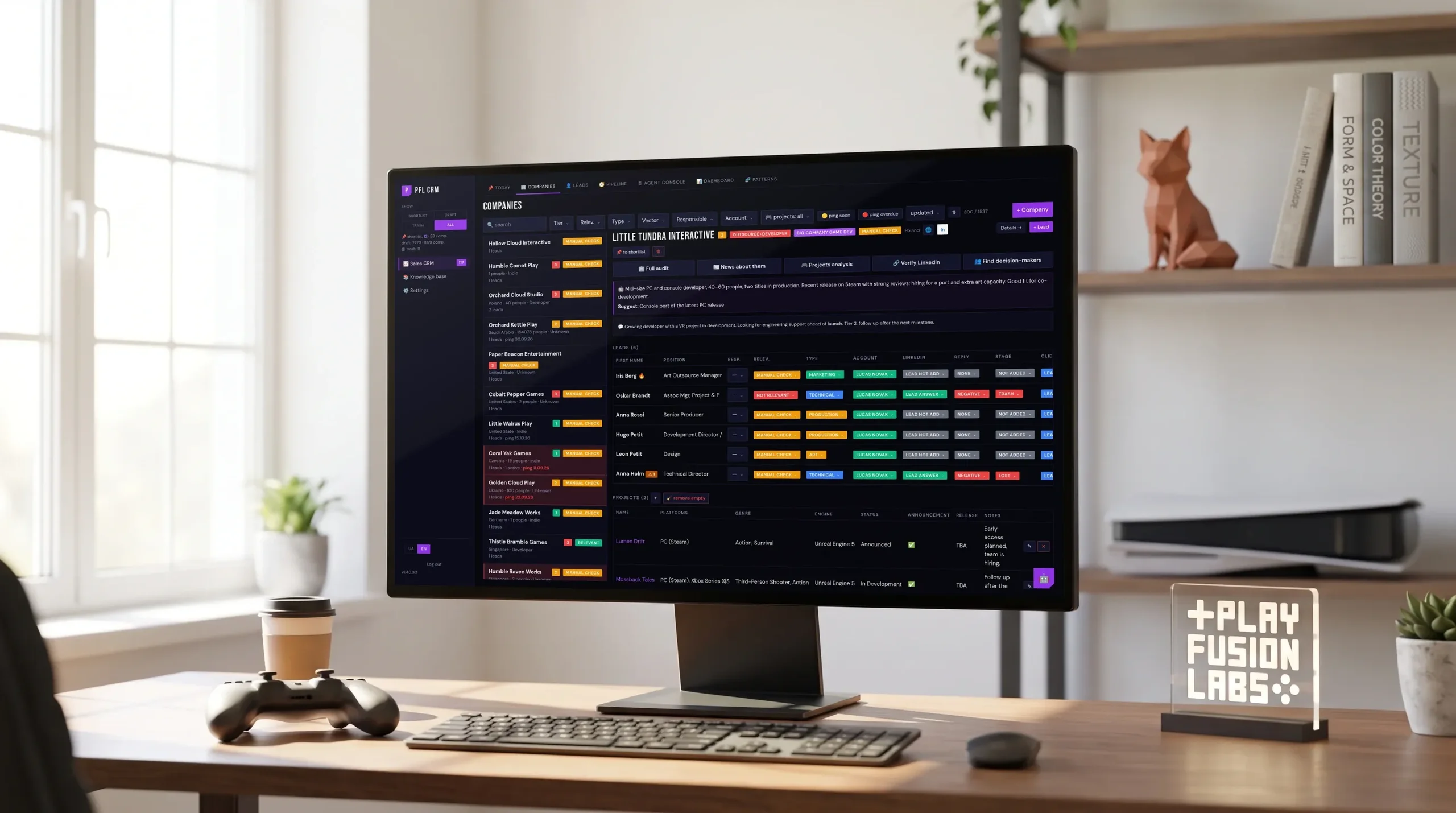
PlayFusionLabs CRM
Custom CRM development for a game studio. An agent researches companies, Today lists who to ping, and finance sits in one database.
- ~2 monthsFrom first call to daily use
- 150+Releases since launch
- 1 databaseFor sales, projects and finance
- $0In per-seat licences
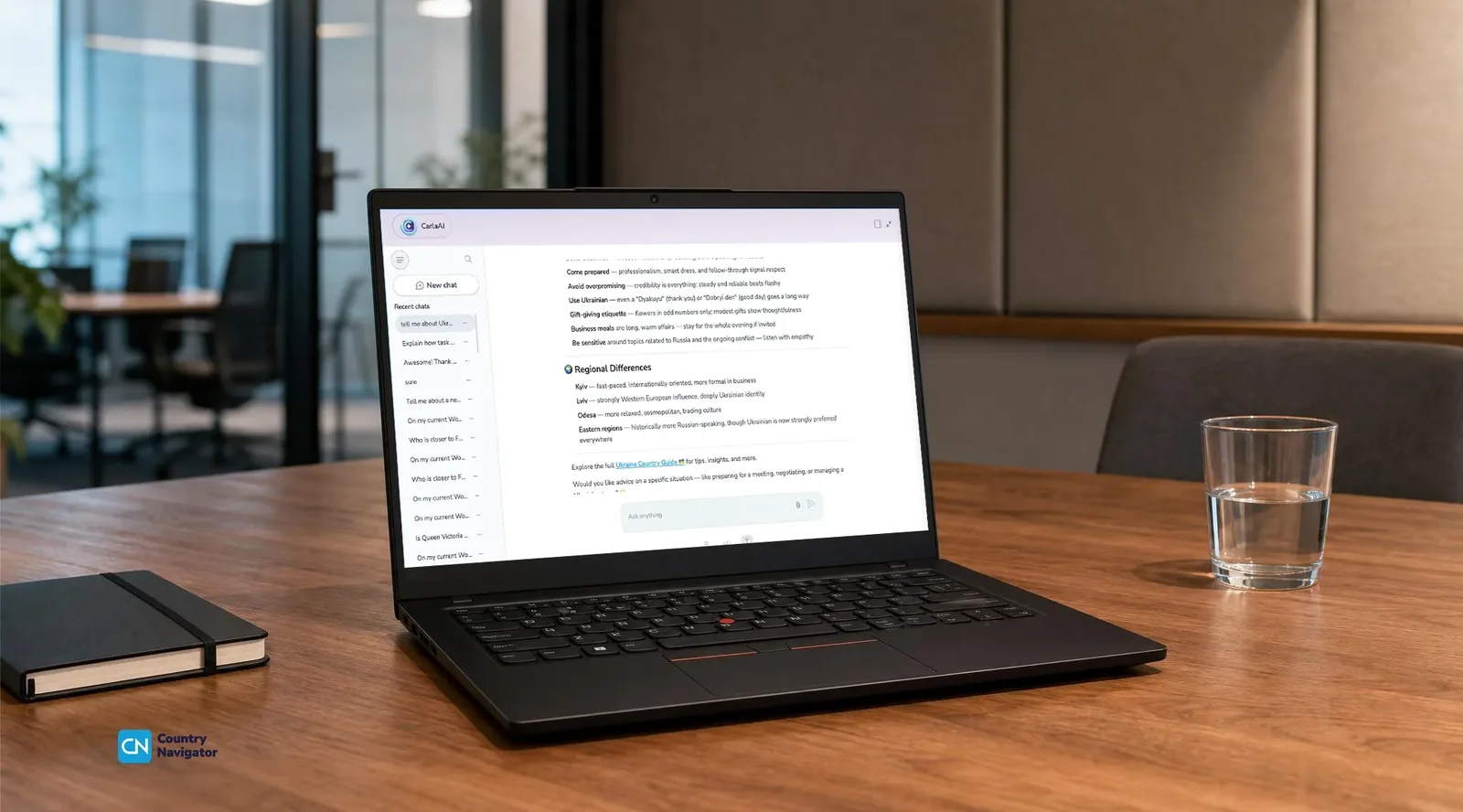
Country Navigator
A ten-year-old cultural intelligence training platform rebuilt into services. Enterprise customers kept working through a zero downtime migration.
- 0Downtime moving a ten-year-old platform
- 1 configReplaces the SSO setup only one person knew
- 10 yearsOf monolith rebuilt into services
Pick to Light System Integration: Questions Buyers Ask
 What is pick to light system integration?
How does pick to light work with a WMS?
Does it work with Made4net?
What if the next client runs a different WMS?
Can we reuse the layer at our next client?
Which equipment does it cover?
Let's Build Something That Matters
We're your one-stop Digital Engineering Partner. Tell us the process, product, or data problem you're trying to solve, and Hygge scopes AI and software work around the business result you need.
Tell Us What You're Building
Share the product, process, or data problem behind the request, along with the systems, data, or timeline the build has to work around.
Get an Audit-Backed Consultation
Hygge reviews the systems and data behind the request, so the first call opens with real specifics on the table.
Receive a Scoped Proposal
A plan with the approach, team, timeline, and cost, built around the business result the project needs to hit.