


Warehouse Software That Matches the Floor
Every warehouse system claims accurate inventory. The ones that deliver it are the ones where scanning is faster than not scanning and the software keeps working when the wifi does not.
What Warehouse Management System Development Solves
Where warehouse operations lose time and stock. The count in the system drifts from the count on the shelf, pickers walk routes nobody designed, and a receiving error surfaces three weeks later as a short shipment. WMS software closes that gap by making the recorded stock and the physical stock the same number.
Records That Do Not Match Reality
The system says twelve, the shelf has nine, and nobody knows when the gap appeared.
- Movement recorded at the point it happens
- Cycle counting built into normal work
- Discrepancy alerts
- Full audit trail per location and per item

Dead Zones and Dropped Scans
Connectivity fails somewhere in the building and the scans are lost.
- Offline-first capture with local queueing
- Deduplication so a retried scan counts once
- Sync on reconnect with conflict handling
- Device health visible centrally
Equipment That Will Not Talk
Conveyors, scales, printers and vehicles each speak a different protocol and none of them speak to the WMS.
- Modbus and OPC UA integration with floor equipment
- Vendor-agnostic device layer
- Fleet coordination and status in one view
- New equipment added as configuration

Operators Fighting the Interface
The screen was designed for a desk and gets used on a forklift.
- Interfaces built for gloves, glare and movement
- Live layout map showing real positions
- Task flows that assume interruption
- Training measured in hours
What Makes WMS Software Different
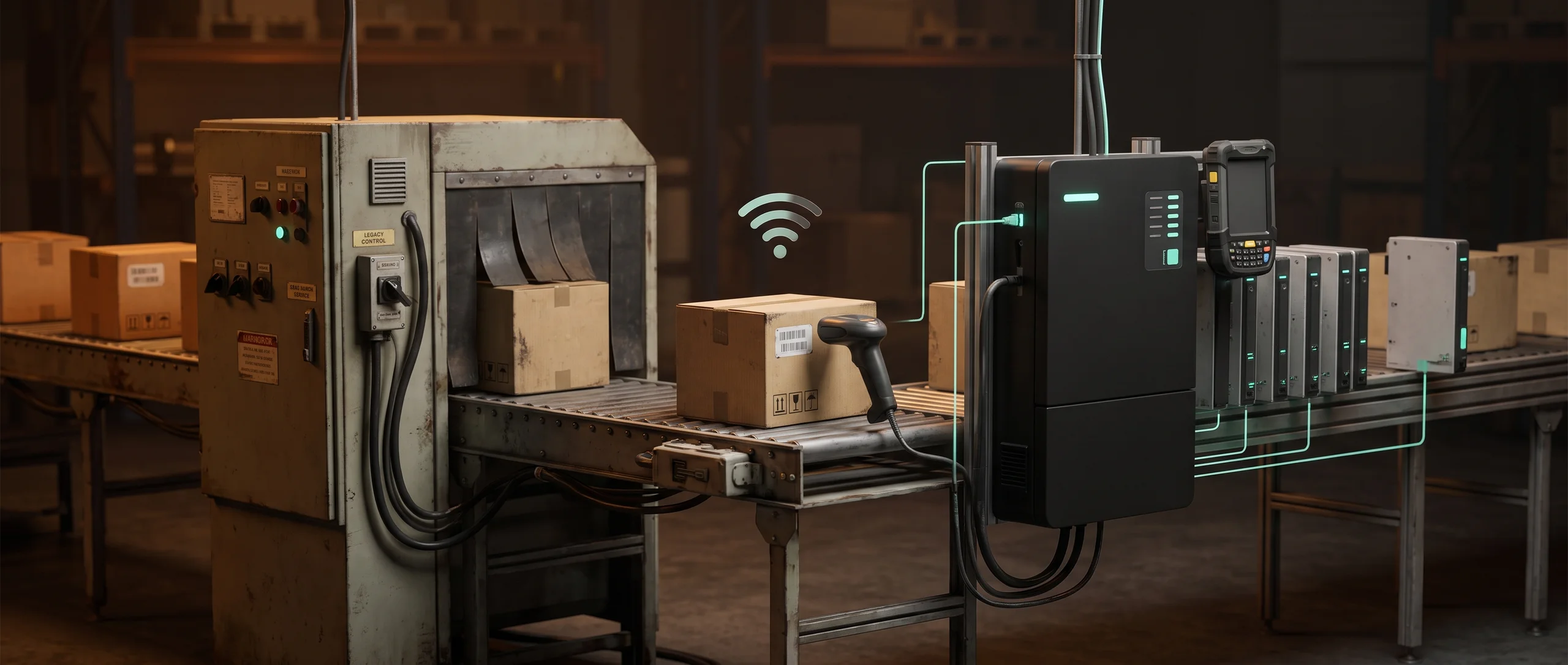
It sits next to machinery that is already running, integrated with equipment older than the codebase, in a building where connectivity is uneven. Downtime has a cost per hour, so changes arrive incrementally and reversibly.
Industries This Applies In
Sectors where this comes up most often, and where Hygge has shipped it. What changes between them is what moves through the building: pallets, cold chain, spare parts, returns. Warehouse automation software follows the same spine in all of them, and the rules around scanning and putaway move with the goods.

Logistics & Warehouse Automation
Operator interfaces for autonomous fleets, industrial integration and systems rebuilt without taking a working site offline.

Retail & E-Commerce
Recommendation engines, retail media platforms and the billing accuracy that decides whether store partners stay.

Healthcare & Staffing
Marketplaces and workflow tools for care organizations, where the mechanism in the middle decides whether the market is fair.

Aviation
Operations, maintenance and training software for an industry where every system carries a regulatory shadow.
The Stack Behind Custom WMS Development
Warehouse software is judged against the shelf, so this stack starts with a count everyone trusts and builds the rest on top of it. It is chosen to run on the terminals and equipment already in your building, through the aisles where signal drops.
What the floor and the office see. On the floor it has to respond on the handheld terminals you already own and stay readable with gloves on, and the screens are built around the scan. In the office the same data is a live view, so a supervisor answers a question without walking the aisle.
 React
React TypeScript
 D3.js
D3.js React Native
 Next.js
Warehouse Management System Development Track Record
Company numbers across every project, from the first audit through the years a system stays in service. Inventory management software development is judged in peak season, when the floor is busiest and the system carries the most load. The audit at the start is what makes the delivery date and the price hold.
How Warehouse Management Software Development Gets Delivered
On a floor that cannot stop. Warehouse management software development runs alongside your current process, one zone at a time, with the old method still available until the new one matches it. Nothing gets switched off during a peak week.
Floor Audit
2-3 weeksTwo to three weeks walking the actual process, cataloguing equipment and protocols, and mapping where connectivity fails.
Core Inventory and Orders
4-6 weeksMovement capture, inventory accuracy and order coordination, with offline behaviour designed in from the first screen.
Equipment Integration
3-5 weeksConnections to conveyors, scales, printers and vehicles through their own protocols, behind a common device layer.
Rollout
2-4 weeksStaged deployment area by area, with the previous system available until each area is proven.
Related Warehouse System Work
Projects where this problem showed up and what got built for it. Each started with stock counts that drifted and a team reconciling by hand. What you see is the system that replaced that and the numbers that moved.

Slapstack
The console for autonomous warehouses, rewritten from Flask to React in pieces. No live warehouse went offline.
- 0Warehouse hours lost to a full rewrite
- 1 libraryReplaces hand-rolled pages, screen by screen
- 1 year onThe same client came back for phase two
Expert Insights on Warehouse Automation Software
Write-ups on measuring what an automation saved, where a human approval belongs in a receiving or picking flow, and how to design the exception path before the happy path. A warehouse system is judged on the exceptions, because a clean pick was never the expensive part.

Warehouse Software Frequently Asked Questions
Dead zones inside the building, equipment already on the floor, and moving to warehouse automation software while orders keep shipping. The answers below cover scanners you already own, what happens when the network drops mid-shift, and how long a first zone takes to go live.
 How does a warehouse management system work?
How to implement a warehouse management system?
What are the types of warehouse management system?
How much does a WMS system cost?
What is a warehouse management system?
What does a warehouse management system do?
What is a 3PL warehouse management system?
What to look for in warehouse management system software?
How do you handle areas with no signal?
Can it work with equipment we already own?
How do you replace a system without stopping the warehouse?
What makes inventory accuracy hold?
From Scattered Sources to One Reliable Layer
Tell us what systems you run and what question you cannot answer today. You get a source inventory, a scope, and a price.

Tell Us What's Running Unmonitored
Share the models, the stack, and where deployment or monitoring is still manual, whatever's costing your team time right now.

Get a First Consultation
We map your current models and infrastructure for anything that would change scope, cost, or timeline.

Receive a Detailed Proposal
A scoped plan with the approach, timeline, and cost, built around your actual stack.