
Every new hire adds $160 a month to your software bill
That is what a typical company pays per person for CRM, HR, finance, project and chat tools, and the number climbs with every hire and every renewal. Hygge builds a system your company owns from modules we already run: people, projects, finance, invoices, CRM and an assistant inside your permission rules. Each module is reshaped around how your team works, and the next person you hire costs nothing to add. Five working days. A written map of one department. No charge.
The software bill nobody approved
Nobody bought this stack on purpose. It arrived one tool at a time, each with its own login, owner and invoice. Here is what it adds up to at a company of 100 people.
How the $160 adds up
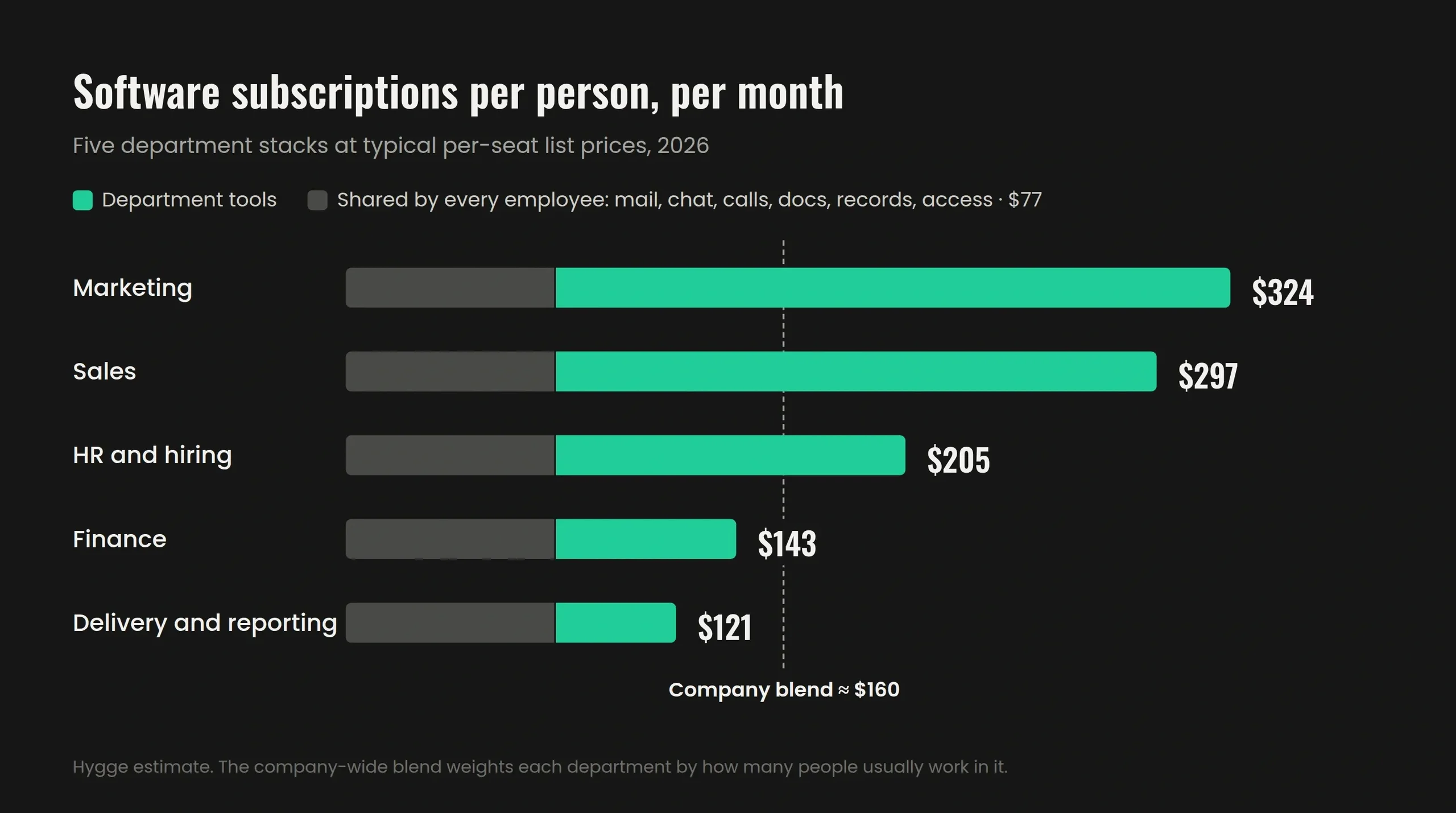
We listed the tools each department pays for per seat, at typical 2026 list prices. Then we added the six every employee gets whatever the role: mail and storage, work chat, calls, docs, employee records and access management. That shared layer alone is $77 per person. Weighted by how many people usually sit in each department, the company-wide blend comes to about $160 per person, per month.
Per person, per month, by department
- Marketing, about $325: automation, SEO research, social scheduling, design
- Sales, about $300: CRM, outreach sequences, lead data, e-signature
- HR and hiring, about $205: applicant tracking and training
- Finance, about $145: accounting, reporting, expenses
- Delivery and reporting, about $120: task tracker, time tracking, developer tools
Friday afternoon, and someone is still copying numbers between systems
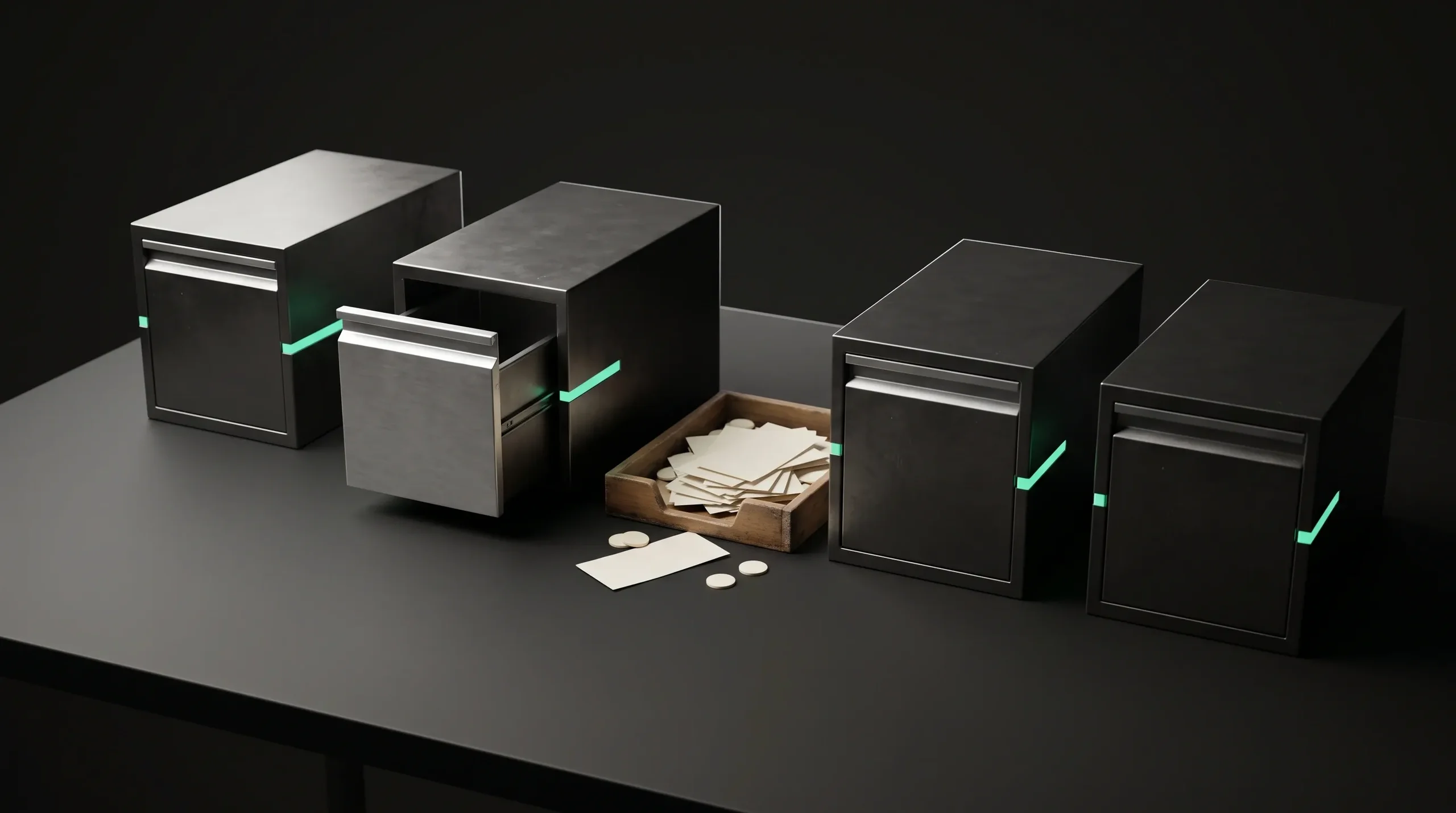
Sales sits in one tool. Inventory in another. Invoices somewhere in finance. Every number that reaches a decision passed through a person who moved it by hand, and every such person is one sick day away from a gap in your reporting.
What this costs you
- Answers arrive after the moment they were needed
- Two systems hold the same record, and both are edited
- The person who understands how it all connects is one person
- Every new tool adds a login, a subscription line, and one more place data can drift
Ready modules, and the subscriptions each one replaces
Each card is a module we have already built and run. In your system it takes your process names, your fields and your rules. The price under it is what the rented version usually costs per person, every month.
CRM and pipeline
Deals, contacts and every message on one card, with the next step set by the assistant. Around $90 per seat when rented.
Lead research and outreach
Company research, contact lists and outreach queues built from your own database. Around $100 per seat for lead data and sequences.
People and absences
Employee records, documents, roles and leave, with history that stays when a manager changes. Around $10 per person.
Recruitment
Roles, candidates and stages tied to the hiring plan that opened them. Around $120 per recruiter seat.
Projects, boards and time
Tasks, milestones and hours logged against the project and the client they belong to. Around $25 per person for tracker and timesheets.
Finance and invoices
Invoices as PDF, payments, payouts, expenses and a P&L per project, current after every entry. $40 to $60 per finance seat.
Dashboards
Numbers that come straight from the work, with no Friday export into a separate BI tool. Around $14 per viewer.
The assistant
Questions, drafts and actions inside your permission rules, on the model you choose. AI add-ons are sold per seat on top of all of the above.
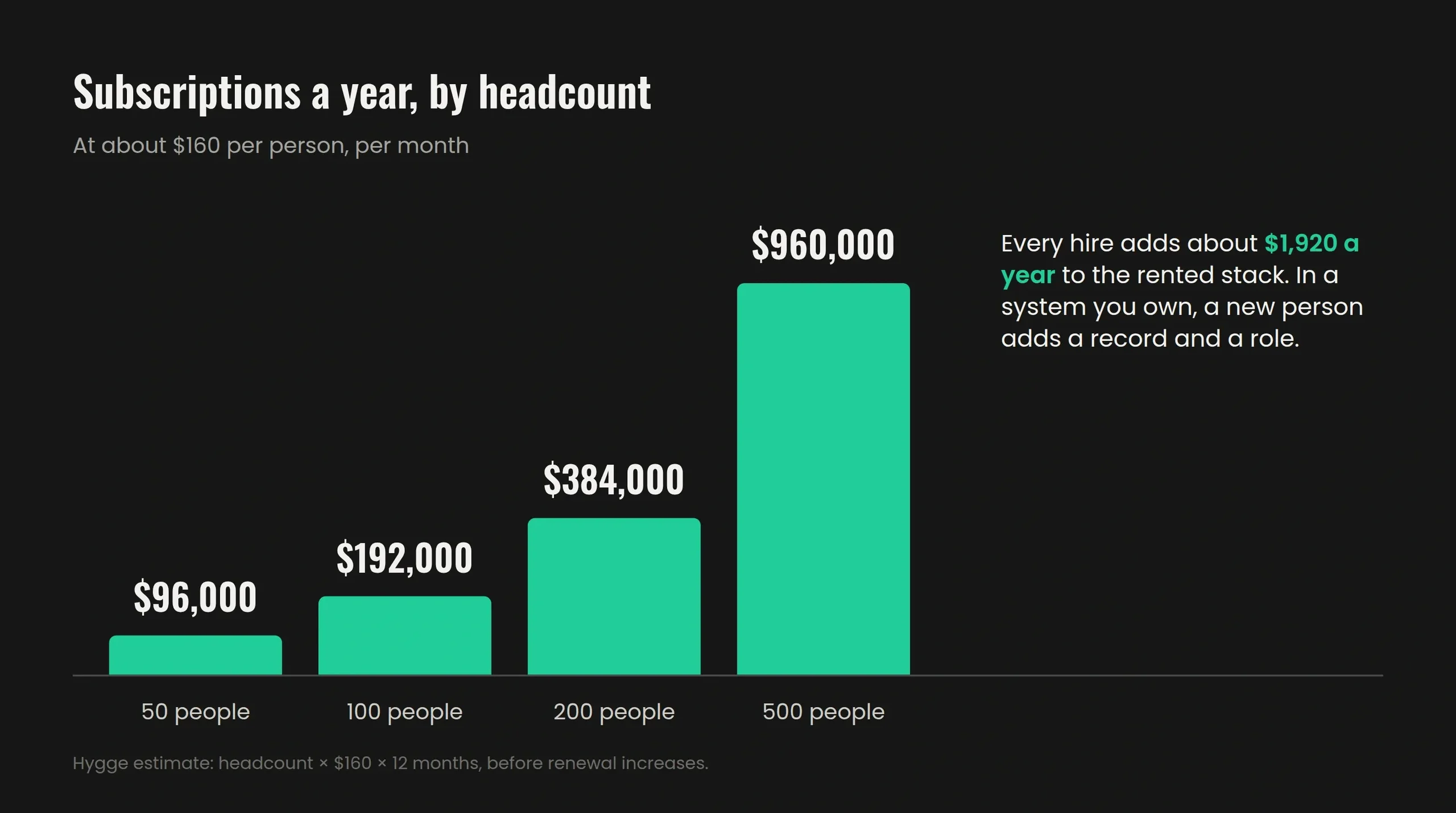
Hire ten people next month. The software bill stays where it is.
With subscriptions, headcount is the price: every hire opens a seat in every tool, and every renewal raises the rate on all of them. In a system your company owns, a new person is a record in People and a role in the permission matrix. The server, the code and the database are already yours.
What changes when the system is yours
- No per-user licence, for 10 people or 500
- One bill that stays flat as the team grows
- Code, database and server stay with you
- A new department arrives as a new module, priced once
The whole company in your pocket
Run the business from the assistant on your phone: ask, approve, move on. The screens behind it stay short, because the assistant does the clicking.
Say it once, and the whole chain runs
Tell the assistant what should happen. It prepares every step: tasks for three people, a note on the client card, a reminder for Friday, an updated forecast. You approve once, and all of it runs.
Only the buttons your people press
Each module is cut down to the actions your team uses, and each button appears only for the person who presses it. There is less to learn and nothing to click past.
Answers wherever you are
How did the week go? Which project is below cost? Who left yesterday's tasks open? The answer comes from the same database the office works in, filtered by your role.
What people ask before they let an assistant near company data
We hear these on almost every first call. Each answer is a mechanism you can check in a demo.
Will someone see payroll who should not?
The assistant reads the permission matrix before it answers. Two roles asking the same question get two different answers.
Where do our questions and data go?
The system, the database and the assistant run on your server. The model can run on your own hardware too.
What if someone leaves with a copy of the base?
Access follows the role, so people see their own accounts and projects. Removing a role closes it everywhere at once.
What if the assistant gets it wrong?
It prepares, a person approves. Tasks, record changes and messages wait for a click, and a discarded action never reaches the data.
Can we lose data during the move?
The new module runs beside the old system on the same records. Backups run on a schedule and before every update.
Are we locking ourselves in again?
You hold the code, the database and the deployment from day one, with documentation for whoever runs it next.
Will my team learn yet another system?
It uses your names for things and your order of work. Most requests start as one sentence to the assistant.
Does the business stop while we switch?
The old tool stays on until you switch it off, on a day you pick. Both run side by side until then.
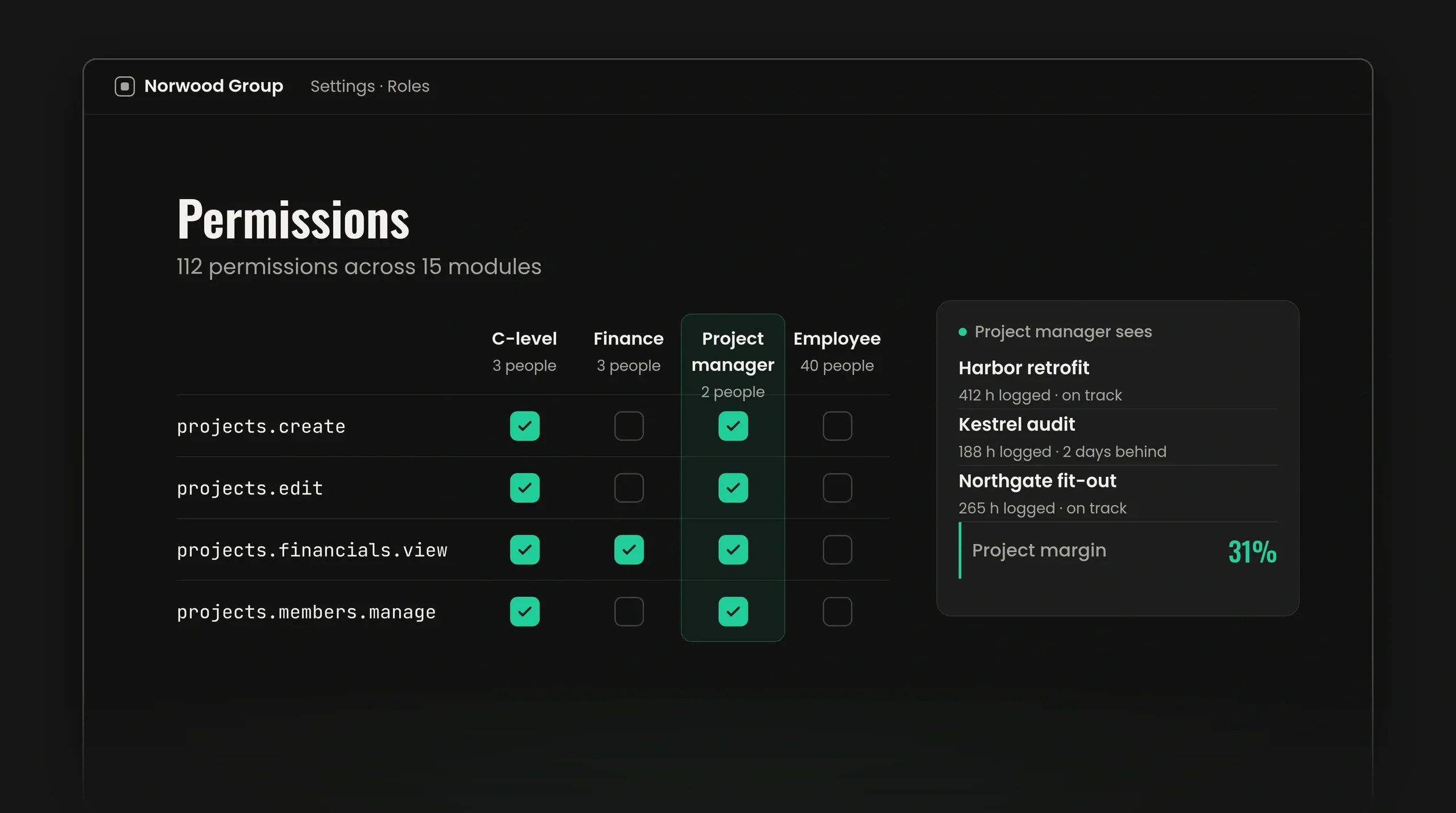
Permissions are read before the answer is built
The most common question we hear about an internal assistant is what stops a junior from asking it about payroll. In our own system the answer is 112 permissions across 15 modules, and the assistant resolves them before it composes a reply. A person receives what their role opens, and the rest stays invisible.
How this shows up in practice
- The same question from two roles returns two different answers
- Removing one checkbox changes what the assistant will say from that moment
- Access follows the role, so a promotion or a departure updates it in one place
Your server, your model, your data
The system runs inside your infrastructure. Questions to the assistant, the data they touch and the answers they return stay within your perimeter. You hold the code, the database and the deployment.
What you own on day one
- Source code and repository access
- The database and everything in it
- Deployment, so another team could take over the system if you chose to
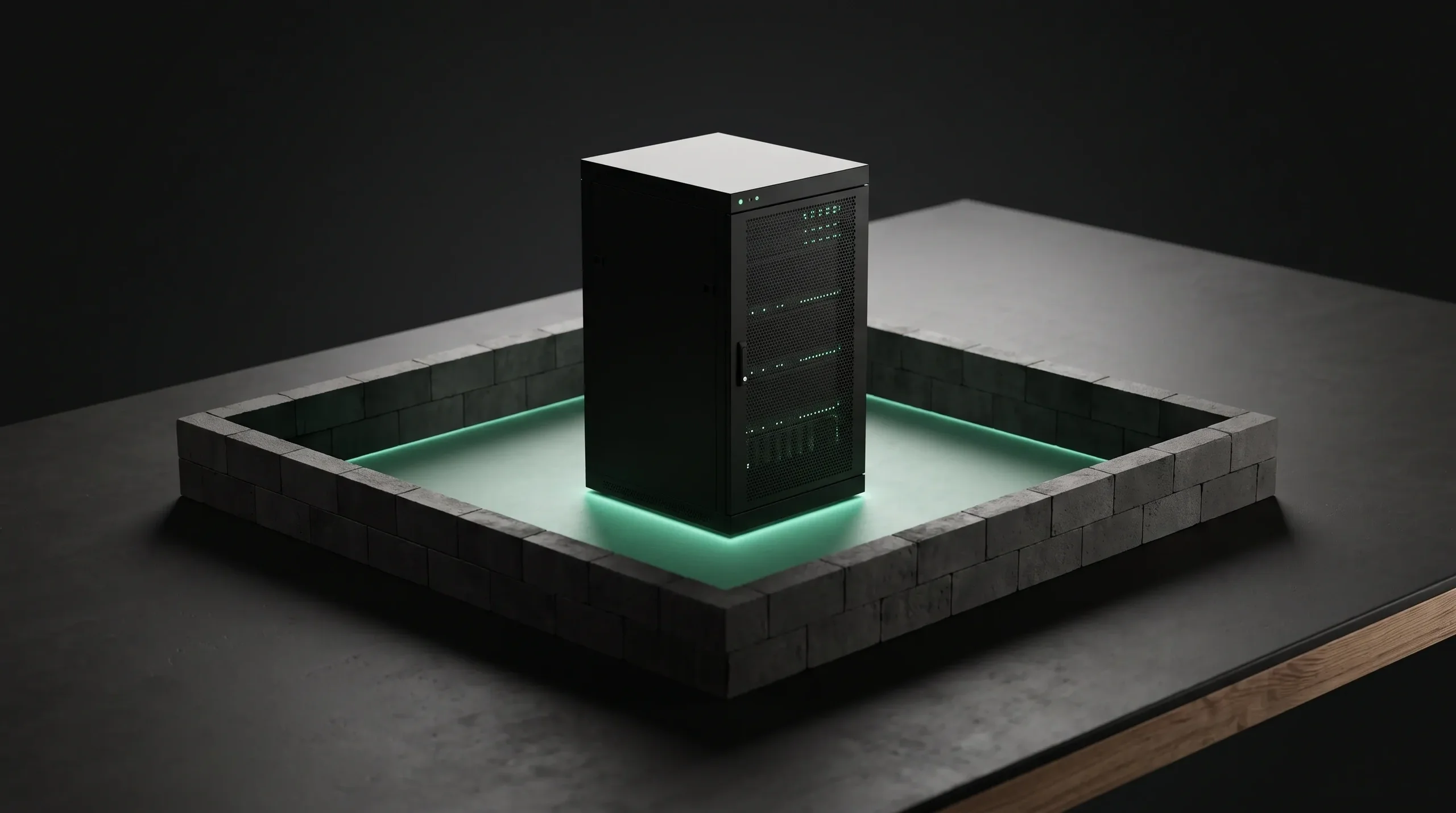
Your current system keeps running until you switch it off
The new module goes live beside what you use today and both hold the same data while you compare them. The day you stop opening the old one is the day it goes off, and that day is yours to pick.
What this removes
- A weekend where the company stops
- A cutover date someone has to defend
- A month of paying for two systems with no way to test the second
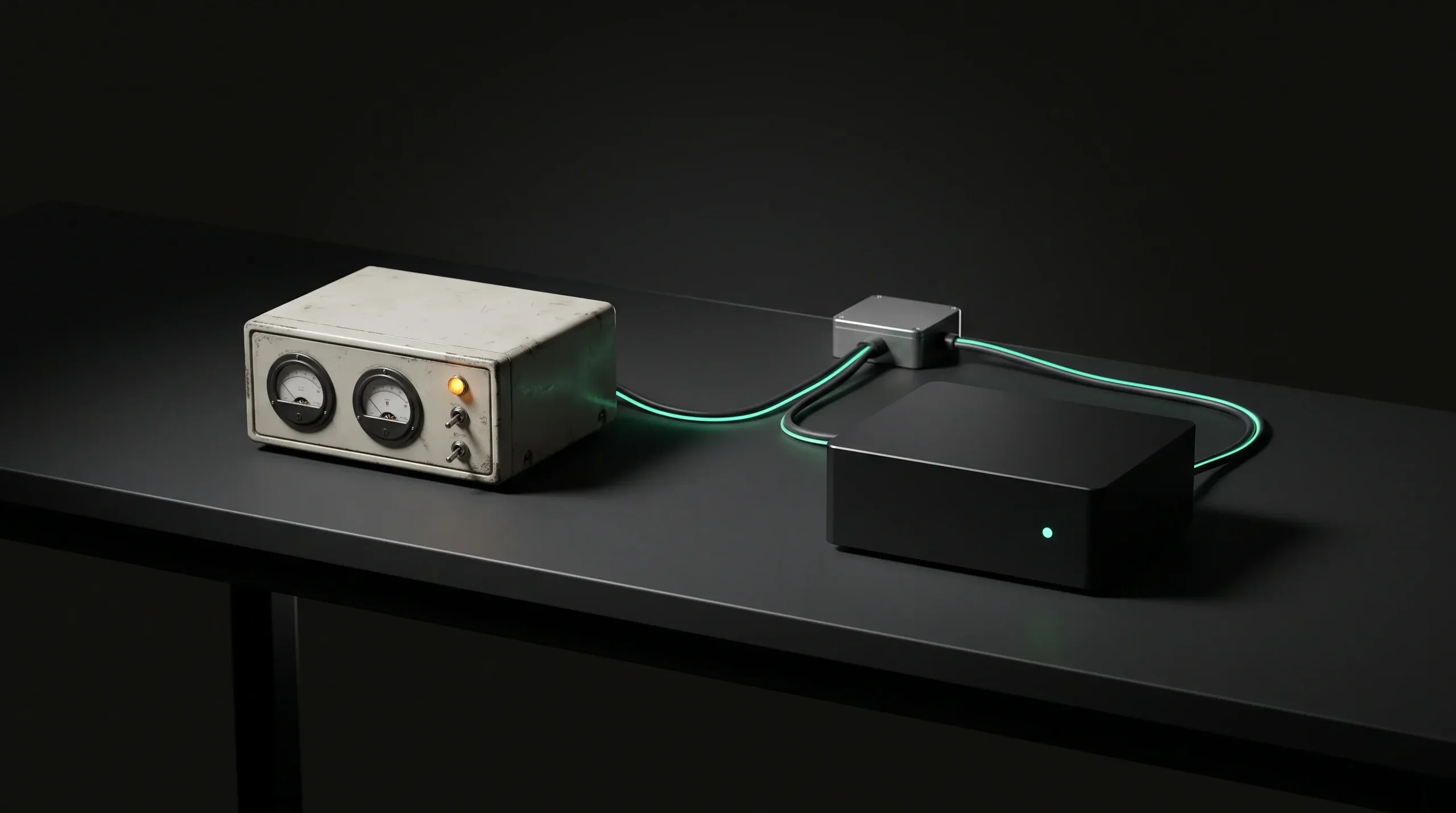
Your spreadsheets and old tools come with you
Moving the data is part of the build and a separate line in the estimate. The people who own the records check them before anything goes live.
Spreadsheets and CSV files
Excel, Google Sheets and exports, including the client entered five different ways across three files.
The tools you pay for now
CRM, accounting, project boards and HR tools. We pull from their exports or their APIs, whichever the tool allows.
A field map in writing
Every column gets a place in the new system or a written reason to leave it behind. You approve the map before the first import.
A test import on a copy
The first run goes into a copy with a preview and duplicate checks, and your team checks its own records there.
Counts that add up
Each import ends with a report: rows in the source, records created, duplicates merged, rows set aside and why.
The source stays as it was
Old files and tools are left untouched, the final export is archived, and every imported record links back to its source row.
The same modules run Hygge every day
Before we built a system for anyone else, we built our own and called it HyggeOS. About a hundred people at Hygge work in it every day: hiring, projects, time, absences, inventory and finance in one database, with an assistant on top. Every module is tested there before it reaches a client. Your system starts from the same modules and is shaped around your process. When something works badly, we feel it the same week a client would.
What it does for us
- One database behind every module, so a number changes once and is current everywhere
- A permission matrix that gives every role its own slice of the data
- Dashboards built from one sentence, typed or spoken, and kept after you approve them
- A Needs your attention panel that flags the project below cost before anyone asks
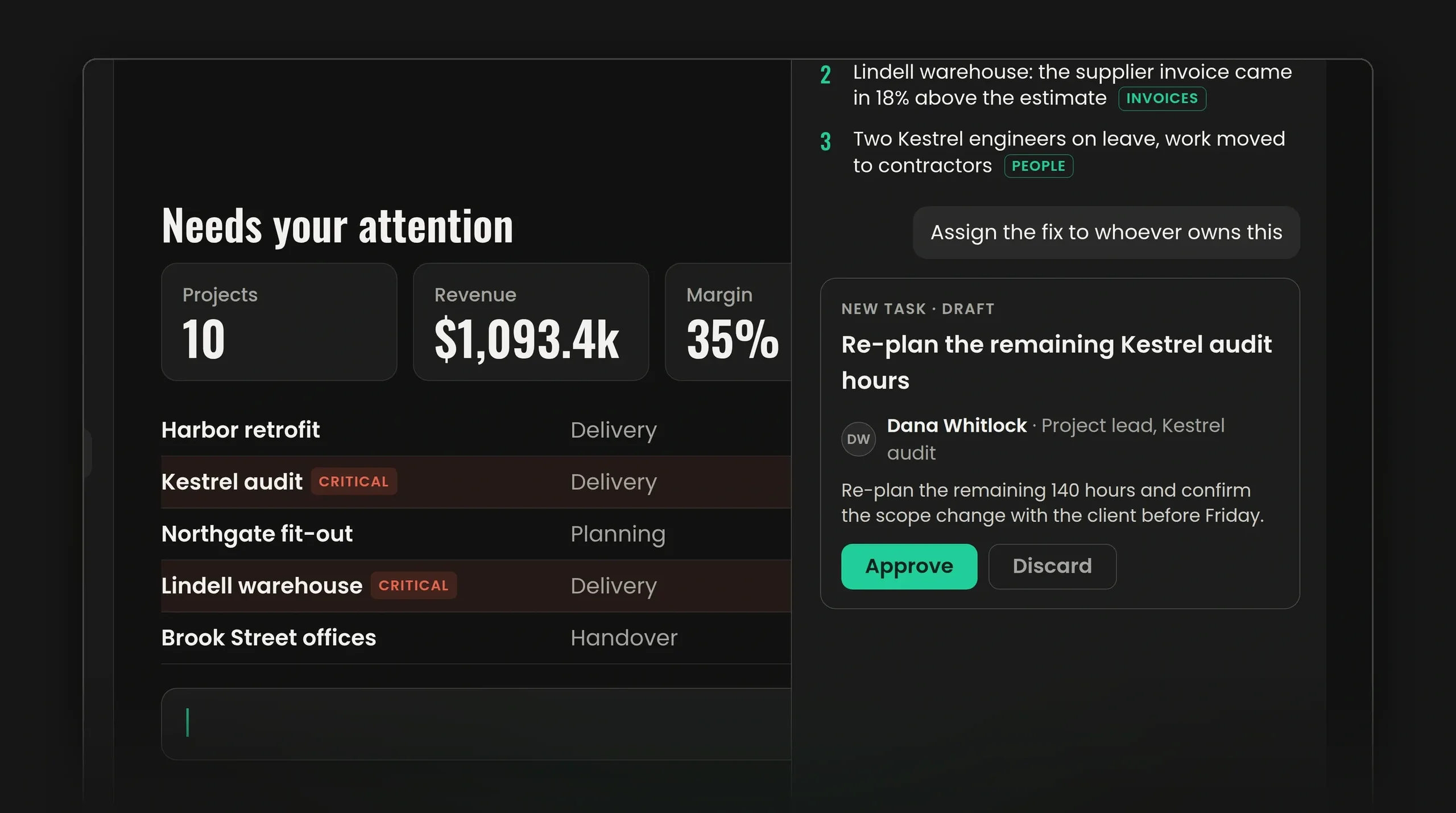
Our own system, by the numbers
The figures behind the system Hygge's own team opens every morning, built from the modules your system starts with.
Systems Running on These Modules Today
Hygge runs its own team on three of these systems: Hygge HR for people, time off and hiring, Hygge Presale for estimates and proposals, and Hygge Lead Generation for outbound. PlayFusionLabs runs company research, outreach, proposals and finance in a CRM Hygge built in about two months.
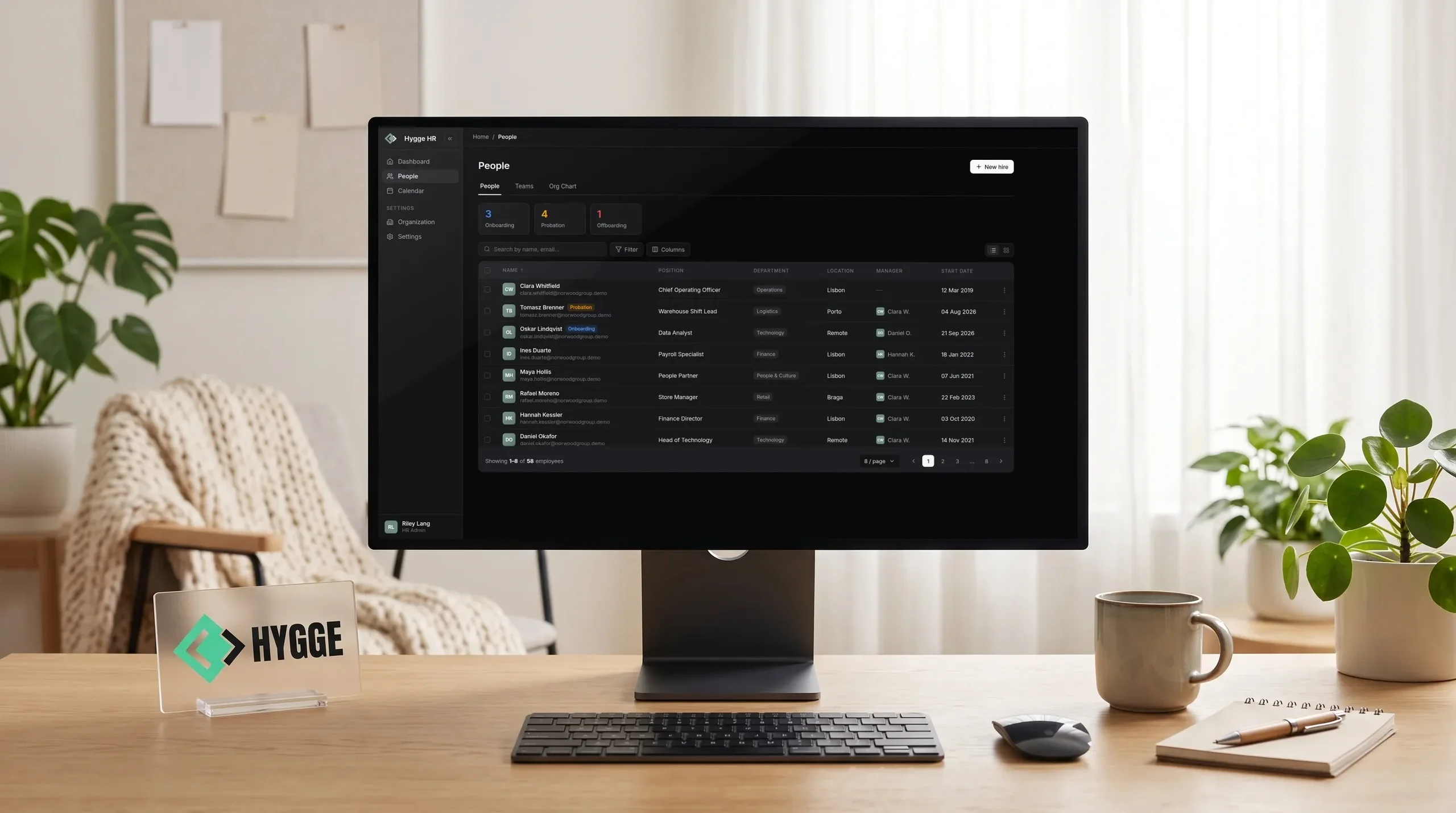
Hygge HR
Hygge's own HR platform: people, time off, hiring and projects in one system. Balances, reminders and pay history update every night.
- 0Manual balance recalculations
- 3+ yearsTenure days added on their own
- 1 platformFor people, time off, hiring and projects
- Any dateRole and pay history on record
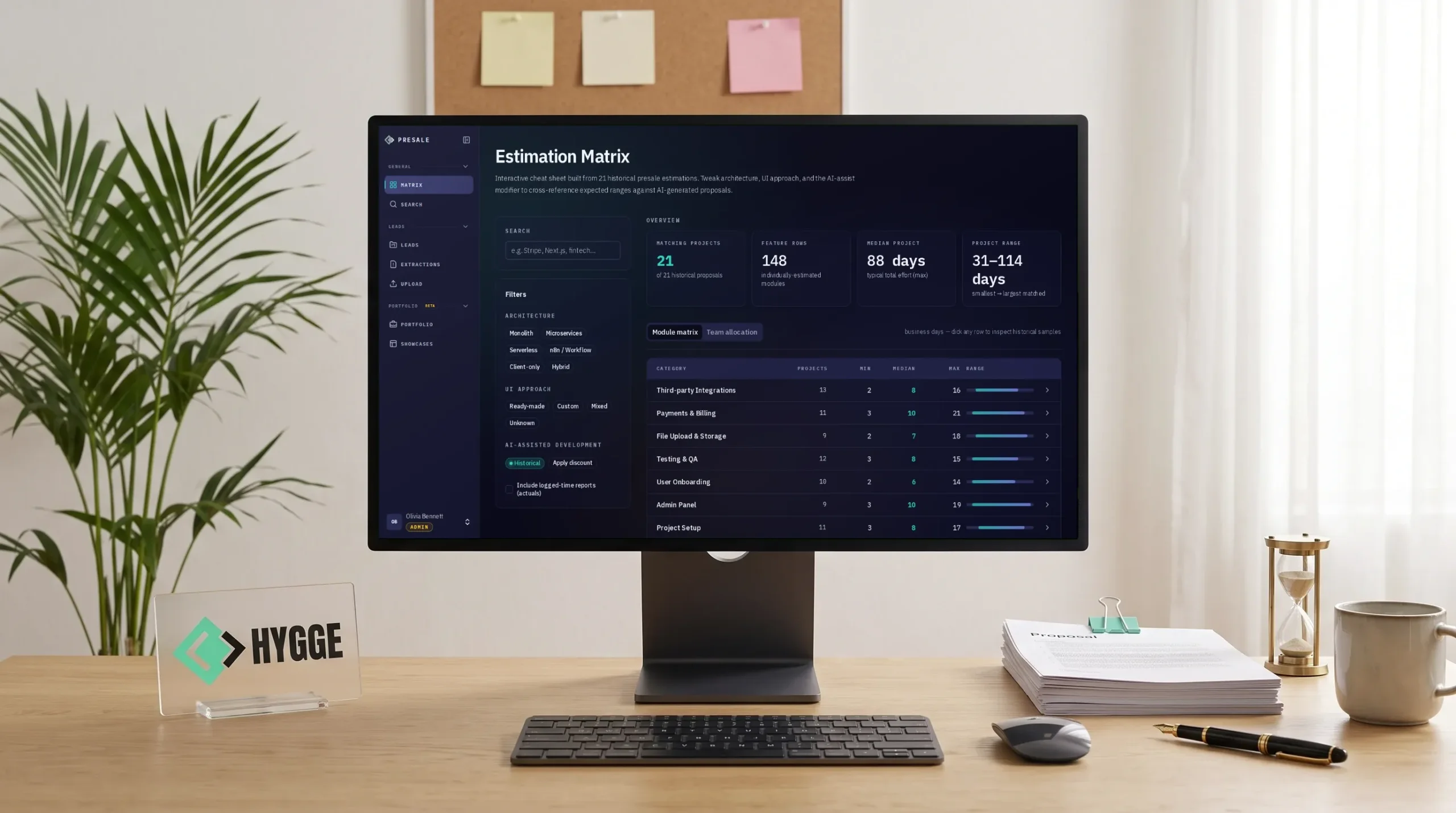
Hygge Presale
Hygge's own presale workspace, where an AI agent drafts estimates from past deals. People approve them, and every proposal feeds the next.
- 6 sub-statusesDrive each pipeline stage
- Every moduleAnchored to evidence
- 5 formatsFrom one approved deck version
- 3 modesOf case disclosure, enforced
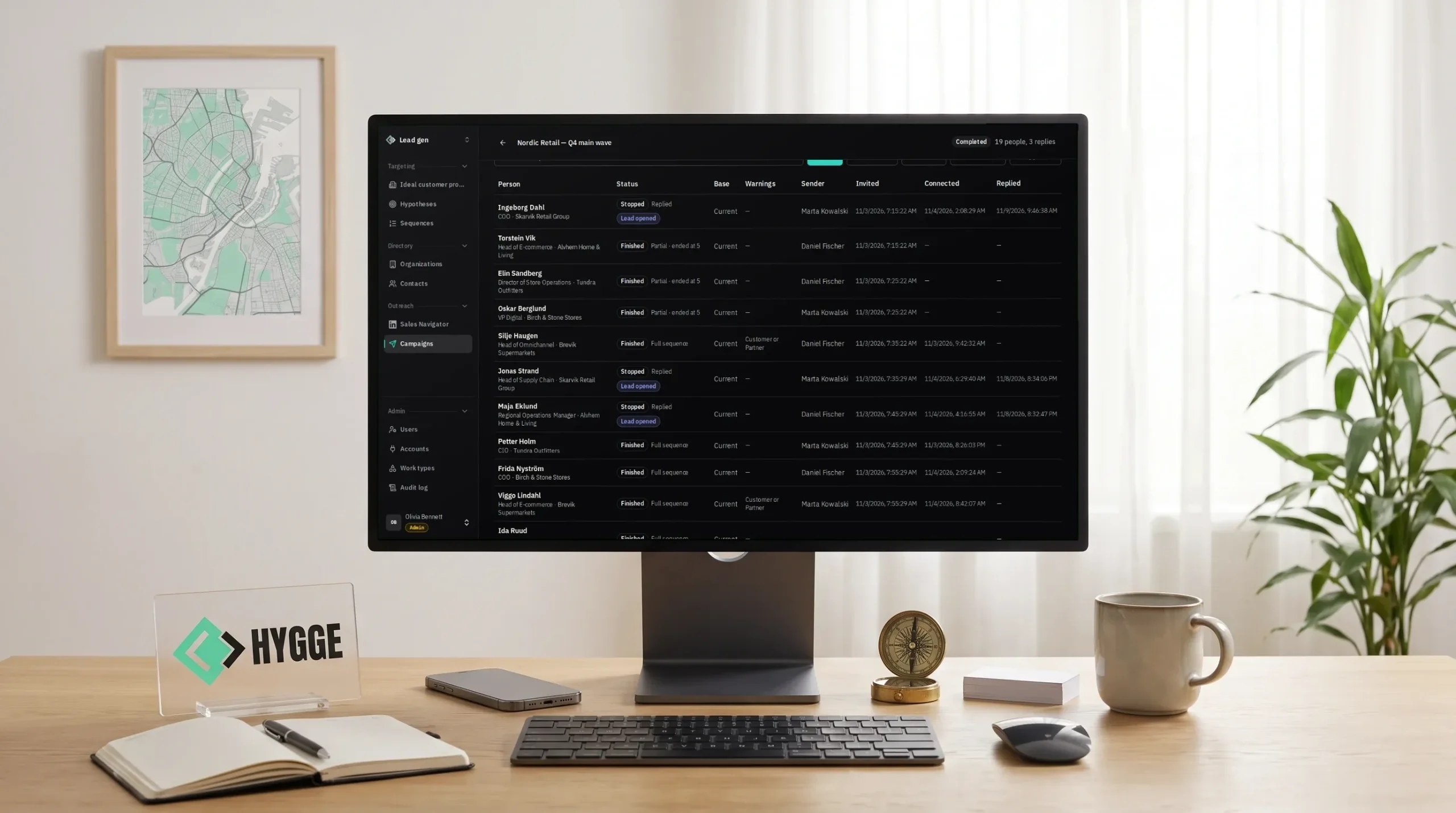
Hygge Lead Generation
Hygge's own outbound platform, where only approved hypotheses run campaigns. Every reply traces back to the targeting behind it.
- 5 toolsReplaced by one platform
- 0Scripted messages sent after a reply
- Every leadTraced to its hypothesis
- Per accountDaily and weekly sending limits
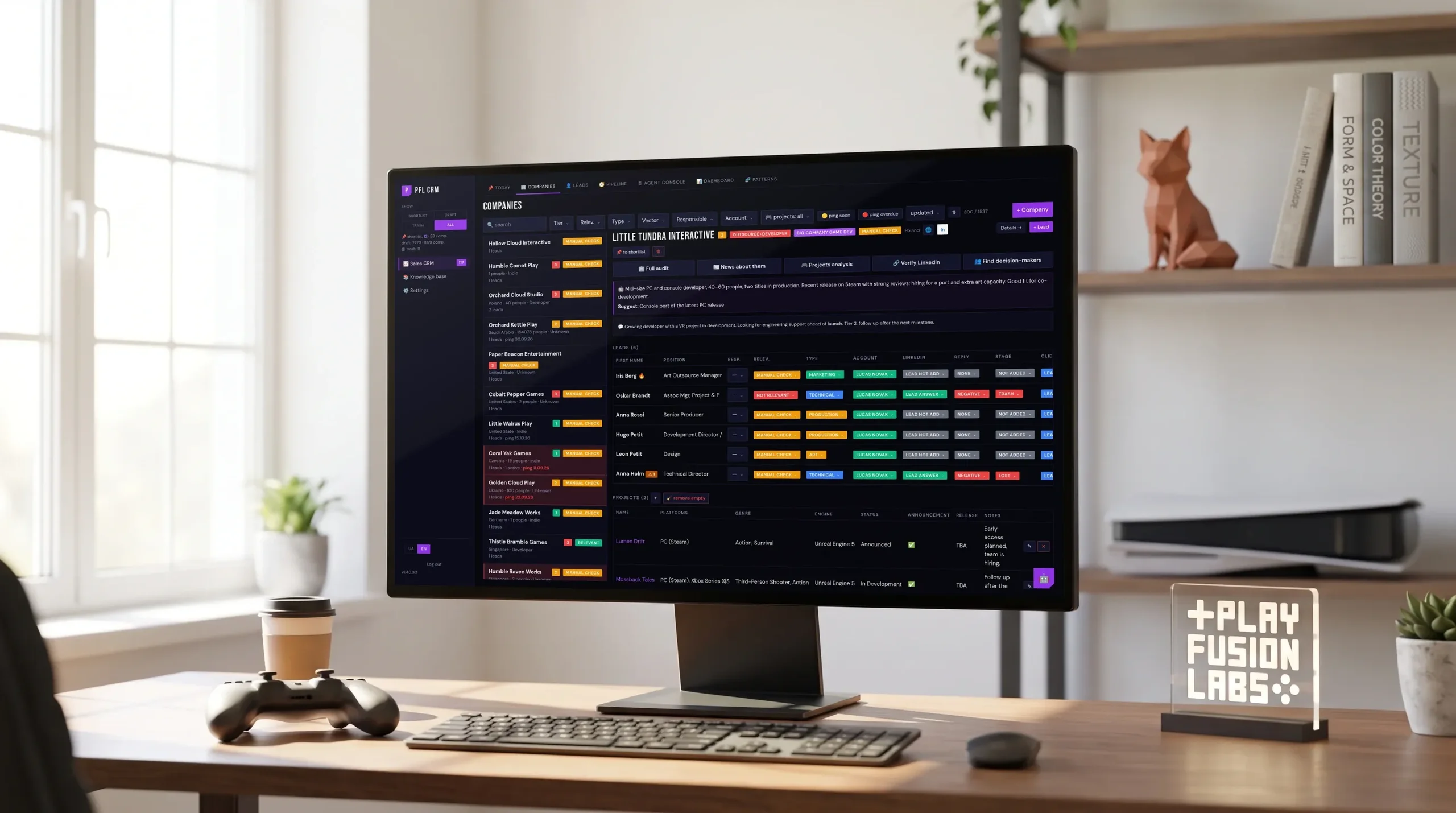
PlayFusionLabs CRM
Custom CRM development for a game studio. An agent researches companies, Today lists who to ping, and finance sits in one database.
- ~2 monthsFrom first call to daily use
- 150+Releases since launch
- 1 databaseFor sales, projects and finance
- $0In per-seat licences
We start with one department and a written map
Before anything is built, we spend five working days inside one of your processes: who touches what, where a number is entered twice, what waits on whom. You receive the map whether or not the work continues.
Days 1 to 5
We sit with the people doing the work and write down how it runs today. You get the map and an estimate.
Weeks 2 to 6
We take the closest ready module, reshape it for that department and put it live while everything else keeps running as it does now.
Months 2 to 3
The remaining modules follow in the order your work demands, each one live before the next begins.
After
Handover with documentation and access. Support continues for as long as you want it.
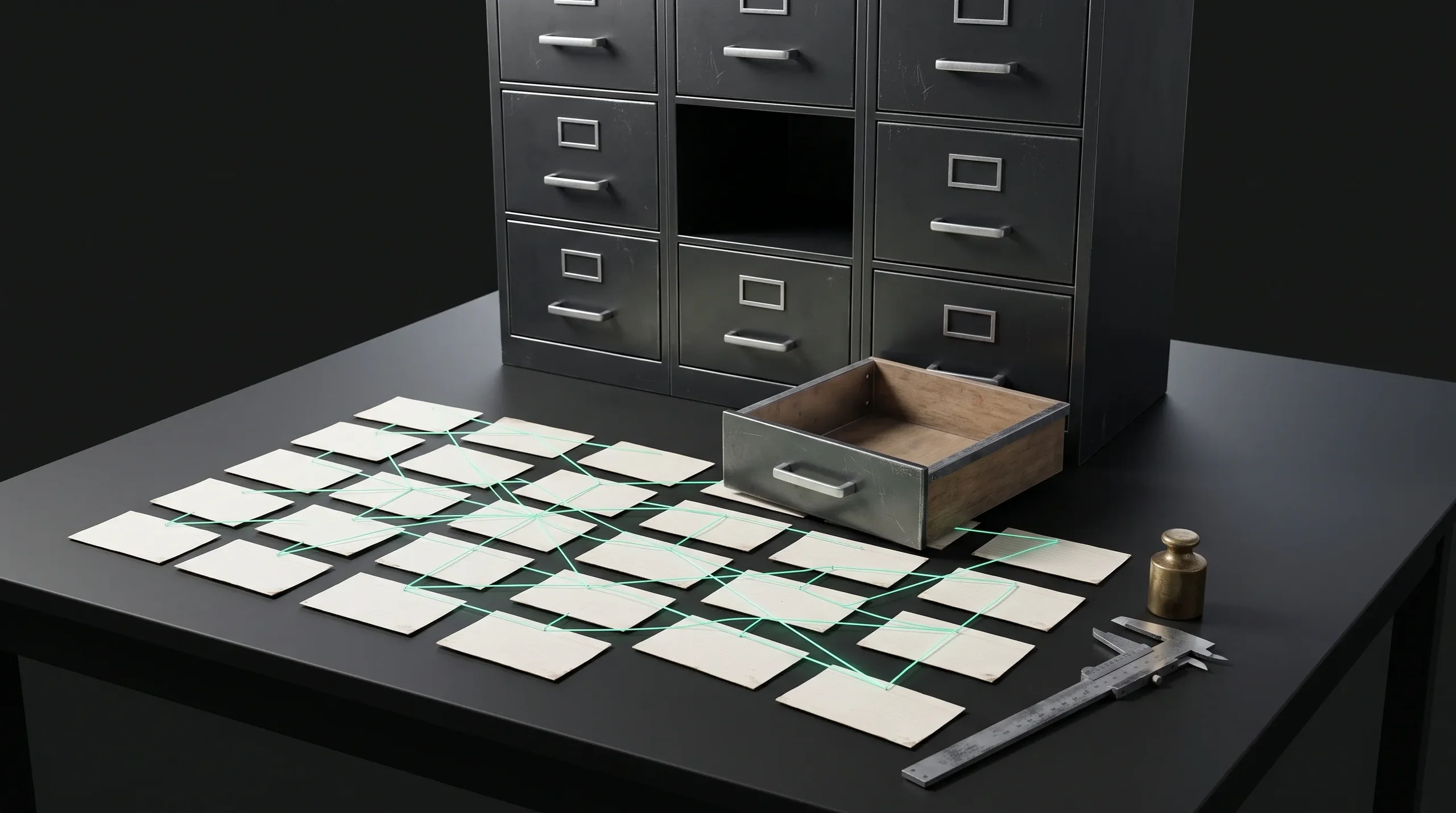
What a build like this takes
A working system for one department goes live in weeks. The full set takes two to three months with a small team. The number depends on how many processes you bring in and how much of your current data has to come with them, which is what the five days are for. We are rarely the cheapest quote on the table. A cheap estimate usually carries the risk somewhere the client only finds later.
What the estimate includes
- A fixed scope for the first module, priced before work starts
- A range for the remaining modules, refined as each one ships
- The cost of migrating your existing data, named separately
Questions we hear on the first call
Answers on ownership, timing, the assistant and the tools you already run.
 How is this different from buying an off-the-shelf system?
What happens when the assistant gets something wrong?
How long before we see anything working?
Who owns the result?
We already have systems that work. Why change?
What if we want to stop after the first module?
Do you work with our existing tools?
Can you move our data from spreadsheets and the tools we use now?
Our processes look nothing like a software company's.
Can we buy HyggeOS as it is?
Can the assistant show one employee's salary to another?
Where does the AI model run?
Why is there no price per user?
What happens if the server fails?
Tell us which department to map
Five working days, one process, a written map at the end. Describe what runs badly and we will say whether this is worth your time before you spend any.

A reply within one working day
A person from Hygge replies within one working day.
A first call about your process
The first call is a conversation about your process, with no deck.
The map stays with you
You receive the map whether or not the work continues.